How to use Instagram for work without getting pulled into Reels
On iPhone there are three ways. Apps like SocialLite and Dull show Instagram's website without Reels, but you give up the real app. Scroll Less blocks Reels and Shorts inside the real Instagram and YouTube apps. Nudge keeps the real apps too: you say what you're there to do, like "post today's Reel," and it nudges you back if you drift. It works in TikTok too.
What you're trying to do
You need Instagram for the job: posting, replying to DMs and comments, checking how a post did, seeing what a client tagged you in. You don't need the Reels feed. The trouble is that the feed sits one swipe away from every one of those jobs, and it's built to keep you there.
Start with the free settings
- Instagram: switch to the Following feed, turn off notifications that aren't from people, and set a daily limit reminder. Step by step here. None of these remove Reels.
- YouTube: you can set the Shorts feed limit to zero (YouTube Help). For adults it's a reminder you can dismiss.
- Nudge's Timer Mode: it's free. Keep the app locked and unlock it for the few minutes the job takes. When time's up, it locks again.
Option 1: Instagram's website inside another app
Apps like SocialLite and Dull open Instagram's mobile website inside their own app, with the Reels tab and the Reels feed taken out. DMs, posts and Stories still work there, by their own descriptions.
The catch is that it isn't the Instagram app. SocialLite says so itself, and notes that some native features, like shopping, live video and collaborative posts, may be limited. If your job means posting Reels with music, using drafts or checking insights, test those first.
Option 2: block Reels inside the real app
Scroll Less keeps you in the real Instagram and YouTube apps and blocks Reels and Shorts when it sees them. It uses the screen broadcast that iOS offers, and says the detection happens on your iPhone. If Reels and Shorts are your whole problem and you work in Instagram and YouTube, it's built for exactly that.
Option 3: say what you're there to do
This is how Nudge's Task Mode works. Instead of a list of features to hide, it checks your screen against the job you named.
- Instagram stays locked by Nudge. Open it and Nudge asks what you're there to do.
- Type the job: "post today's Reel," "reply to DMs," "answer comments on my last post."
- Start the session. iOS asks you to start a screen broadcast. That's how Nudge checks your screen.
- Do the job in the real app: post, reply, check how it's doing.
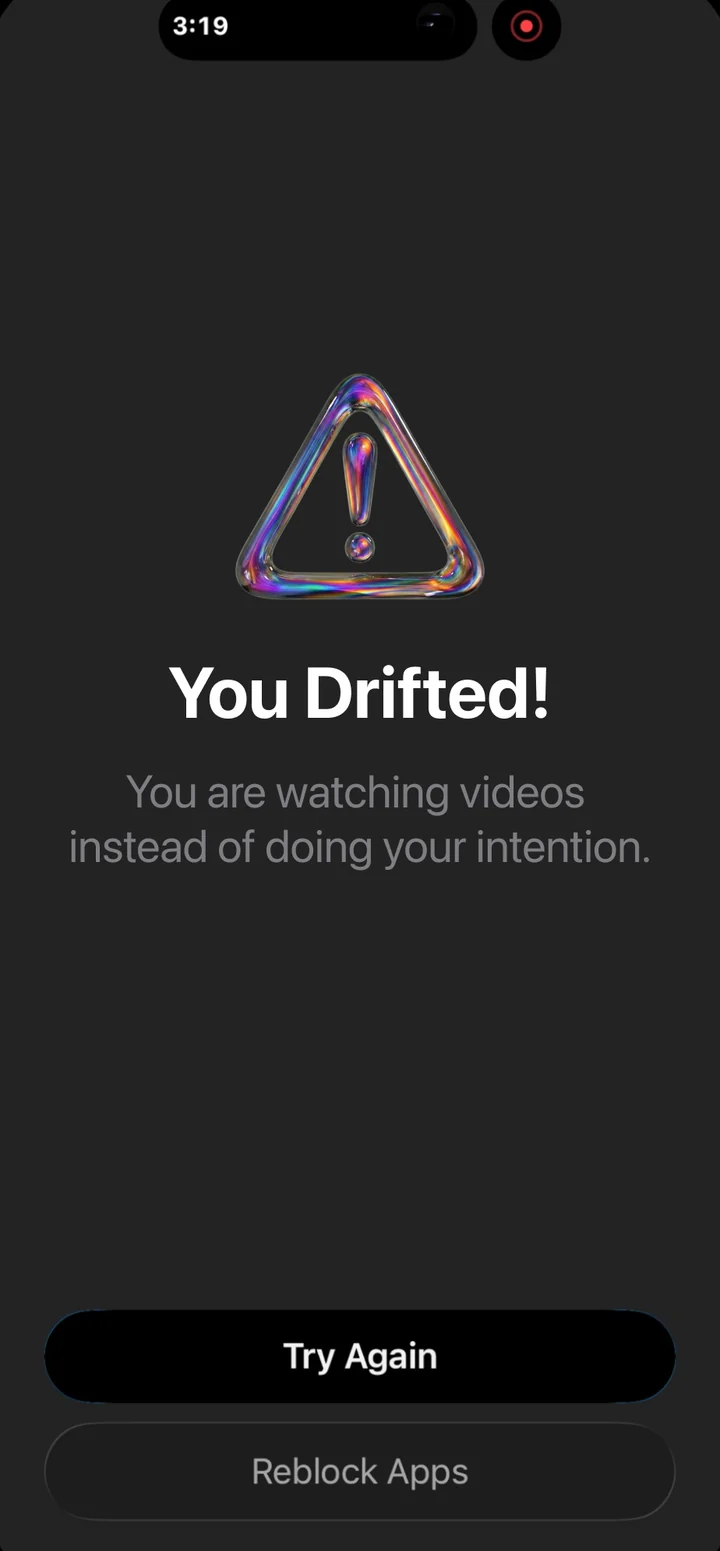
- Drift into Reels or Explore and keep scrolling, and Nudge covers the app with a reminder of your task. Go back to it, or re-lock the app.
Real phone, real app: "Check my DMs," a detour into videos, and the nudge.
Because it judges against your task, the same thing works in any app you lock with Nudge, like TikTok, YouTube, X or LinkedIn. Between sessions, your apps stay locked, so the feed isn't one tap away.
If you post on TikTok
On TikTok the feed is the app, so there's no tab to hide. What works is a task: say "post my video" or "reply to comments," and if you start scrolling the For You feed, Nudge nudges you back.
If you work in YouTube
Set the Shorts feed limit to zero first. Then, for the visits that matter, give Nudge the job, like "upload my video" or "reply to comments," and drifting into Shorts gets you nudged.
What to weigh
- Real app or website. Nudge and Scroll Less leave you in the real apps. SocialLite and Dull use Instagram's website.
- How it steps in. Scroll Less blocks Reels and Shorts when it sees them. Nudge reminds you of your task after you've drifted for a few checks in a row.
- Where your screen goes. Scroll Less says its detection stays on your iPhone. Nudge's Task Mode sends screenshots to Google's AI to check if you're on task, and your screen is not stored. How that works.
- Which apps. Nudge works in any app you lock with it. Scroll Less covers Instagram and YouTube in their apps.
- Cost. Timer Mode is free. Task Mode is part of Nudge Pro, with 8 hours a month on monthly and yearly plans. Check each app's own page for theirs.
Which one fits you
- You mostly reply to DMs and post photos, and want the feed gone: a website app like SocialLite or Dull.
- Reels and Shorts are the only problem, in Instagram and YouTube: Scroll Less.
- You work across several apps, post on TikTok, or want your apps locked between jobs: Nudge.
Other apps' details come from their own websites, checked Oct 20, 2026. They change, so check before you choose.