Free tool

Screen time calculator

See what your phone habit adds up to, then pick a daily budget and see what you'd get back.

Updated Oct 14, 2026 ยท Nothing you enter leaves your browser

32 hourson your phone every week
68 dayson your phone every year
9.4 yearson your phone by age 80

At 4h 30m a day, that's 28% of your waking hours. A 1h 30m budget gives you back 46 days a year.

Set a budget in Nudge

Your numbers stay on this page. We don't store them, and there's no tracking on this tool.

Where to find your real number

  1. Open Settings on your iPhone and tap Screen Time.
  2. Open your activity report (on iOS 26 it's See All App & Website Activity).
  3. Switch to the week view and read your daily average. That's the most honest number.
  4. Look at your most used apps. The top 2 or 3 are usually where the budget should go.

Budget the apps, not the phone

Most people don't need less phone. They need less of two or three apps. Maps, messages, music and work apps are rarely the problem. Short video and social feeds are.

So set your budget for those apps only. An hour of Instagram that you chose is fine. Three hours you didn't notice is the thing to fix.

How a budget actually sticks
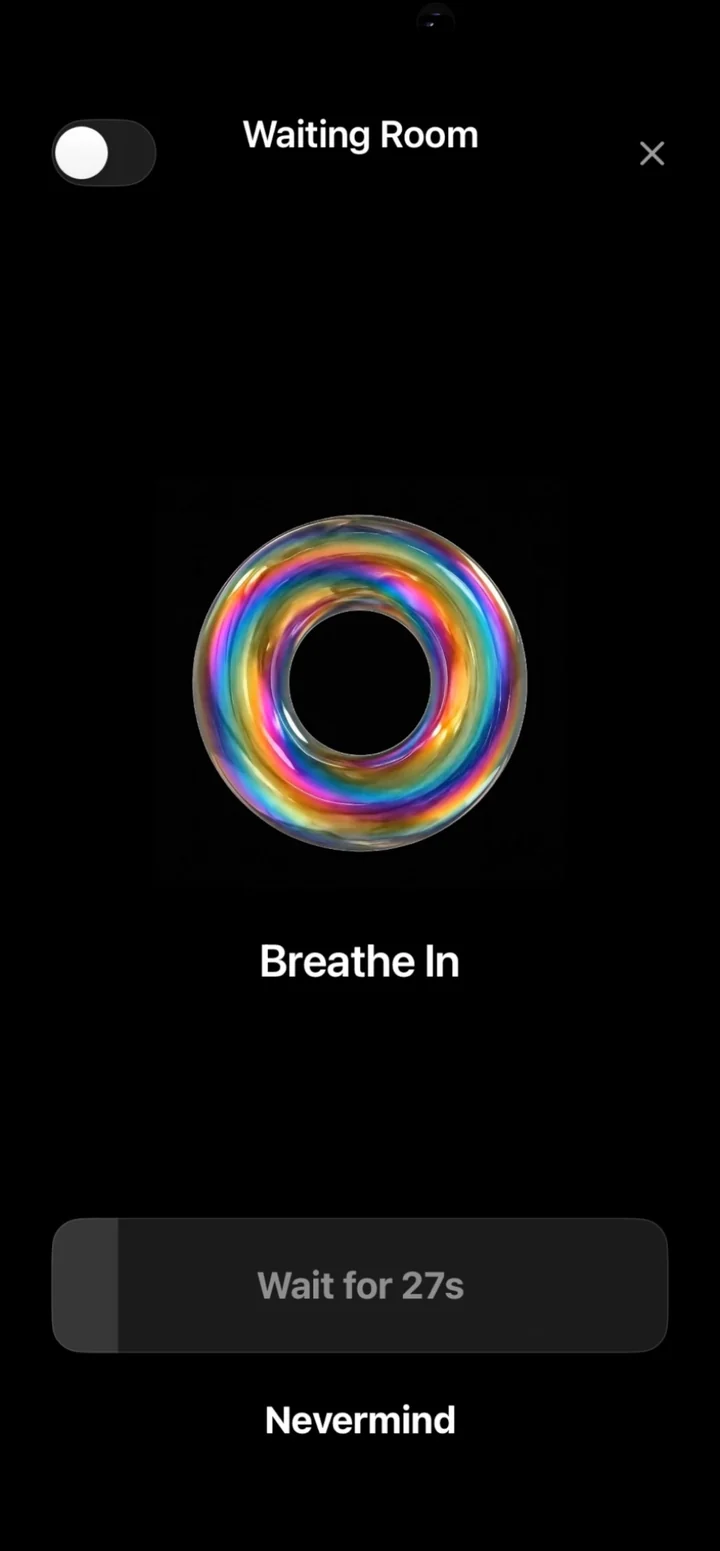
Nudge's waiting room: a breathing ring, Wait for 27s, Nevermind
The waiting room

Apple's Screen Time limits are easy to skip: by default, you can ignore a limit once you reach it. A budget sticks when there's a little friction every time you go back, and the friction grows the more you come back.

That's what Nudge does. Your picked apps stay locked. When you open one, you choose how long. With Pro, keep coming back and the waiting room makes you wait a bit longer each time. It's not a wall, just enough of a pause to ask "do I actually want this?"

Questions

Where do I find my real screen time on iPhone?

Open Settings and tap Screen Time. On iOS 26, tap See All App & Website Activity, then Week, and read your daily average. On iOS 27, the activity report is on the same Screen Time screen. The weekly daily average is the most honest number.

How is this calculated?

Days a year = your daily hours x 365 / 24. Years by age 80 = your daily hours x the years you have left until 80, as a share of the whole day. Waking hours assume 16 waking hours a day. It's simple math, not a prediction.

Do you store what I type?

No. The calculator runs in your browser. Nothing you enter is sent to us or anyone else. The share image is drawn on your device.

What's a good daily screen time for adults?

There's no official number for adults. Pick a budget for the apps that drain you (social and short video), not your whole phone. Maps, messages and work apps aren't the problem for most people.

Turn the budget into a habit.

Nudge keeps your problem apps locked until you choose how long to use them. Keep coming back and the wait gets longer.

iPhone, iOS 17.6 or later.