Nudge vs Opal: two different fixes for the same problem
Opal is built around rules: block apps for a session, on a schedule, or after a daily limit. Nudge keeps your apps locked all the time and lets you in when you choose to, with a wait that grows each time you come back that day, and a check that you're doing what you came to do. Pick Opal for scheduled focus blocks. Pick Nudge if you need your apps through the day and your problem is checking them too often or drifting once you're in.
The difference in one table
| Nudge | Opal | |
|---|---|---|
| Main idea | Apps stay locked; you choose when and how long to go in | "Rules" block apps: one-off Sessions, Schedules, daily Time Limits and Open Limits |
| Before you get in | Choose a time; Pro adds a waiting room that grows with each unlock that day | A "Waiting Room" countdown before a break, when the rule allows breaks |
| Strictest setting | Hard: a 10-minute wait every time, 10-minute sessions | Hard Mode: no unblocks (Pro), plus one Emergency Pass a week |
| Inside an app | Pro Task Mode checks your screen against what you said you came to do, like DMs vs Reels | Whole apps only. Optional Autofocus nudges when you scroll a lot |
| Free version | Timer Mode: lock apps and websites, unlock with a timer | Basic blocking with limits on rules; Hard Mode is Pro |
| Paid price (US) | $99.99 a year, $19.99 a month or $12.99 a week (details) | $79.99 to $99.99 a year depending on where you buy; also monthly and lifetime |
| Platforms | iPhone | iPhone, iPad, Android and Mac |
Opal details are from Opal's own site, help center and App Store listing, checked Oct 14, 2026. Opal shows different prices on the web and in the App Store, so check before you buy.
Where Opal is the better pick
- You want scheduled blocks. "No social media 9 to 5 on workdays" is what Opal does best.
- You want the apps gone for a while. Exam season, a detox, a deep-work sprint. A hard block is simpler than managing visits.
- You like stats and streaks. Opal leans into focus scores, streaks and focus hours.
- You need more than an iPhone. Opal also runs on iPad, Android and Mac. Nudge is iPhone only.
Where Nudge is the better pick
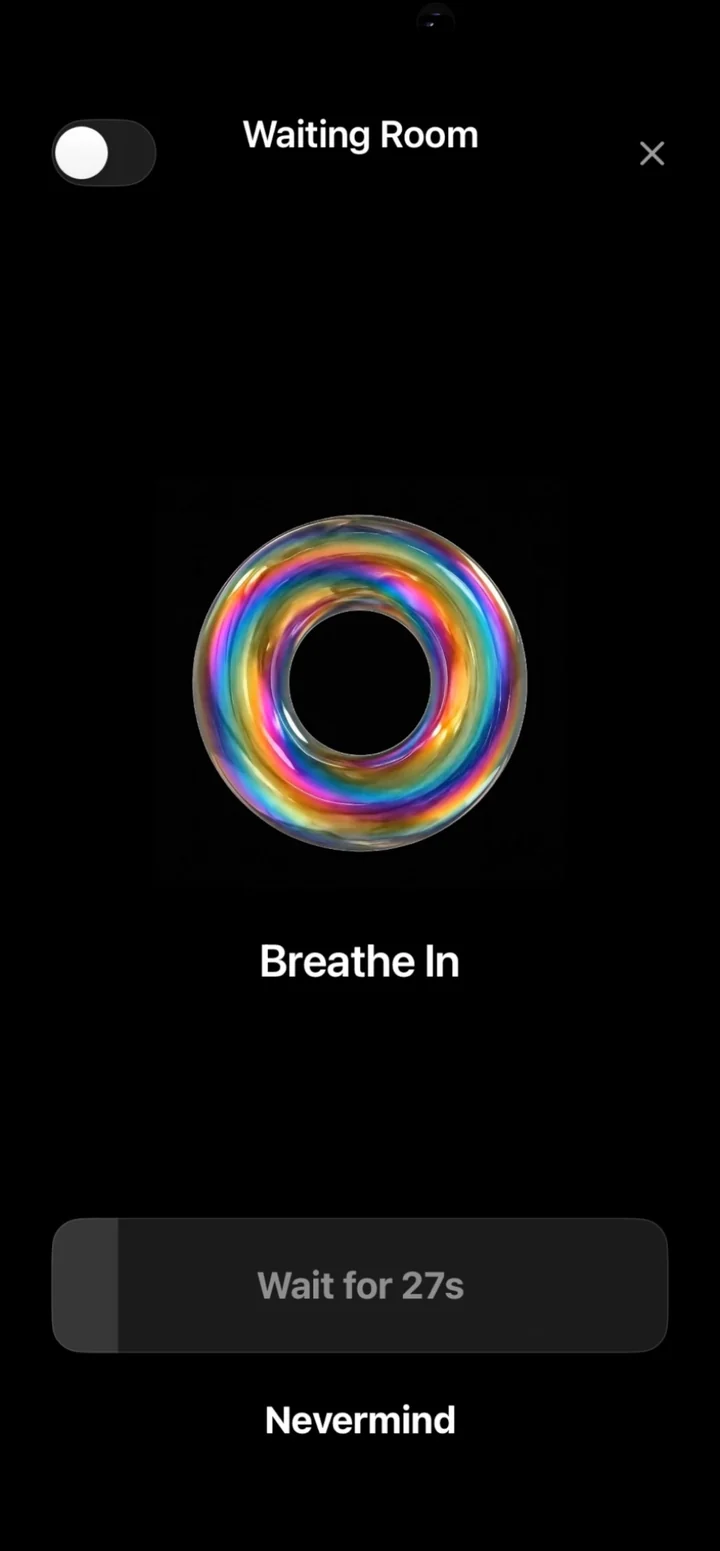
- You still need the apps. You're a creator who has to post, you keep up with friends in messages, or you run part of your life on social media, and you're tired of getting sucked into short-form video. Schedules punish the useful visits along with the bad ones.
- Your problem is how often, not when. Nudge's waiting room makes the fifth visit of the day harder than the first, without blocking the first.
- Your problem is drift. You open Instagram for one message and surface forty minutes later. Opal can block Instagram or nudge you after a lot of scrolling. Nudge's Task Mode checks what's on screen against what you said you came for, so the DM is fine and the Reels detour gets a nudge.
- Blockers haven't stuck before. If you've installed and deleted three of them, the wall may be the problem. Friction you can live with beats a wall you'll tear down.
Can you use both?
Yes. Some people run scheduled deep-work blocks in Opal and use Nudge the rest of the day. If you only want one, ask: is my problem opening the app during certain hours (Opal), or how often I open it and what happens next (Nudge)?
Switching? Here's how to move from Opal to Nudge in about five minutes.
Opal is a product of its company. Nudge isn't affiliated with Opal. Descriptions are based on public information and may change.