How to use Instagram without Reels on iPhone (and keep your DMs)
You can't turn off Reels in the iPhone app. Instagram has no setting for it, and no app can change Instagram from the outside. What you can do: shrink what Reels can grab (notifications, the Following feed, a daily limit), and use something that notices when "check my DMs" turns into "watch Reels." That last part is what Nudge's Task Mode is for.
Why "just don't open Reels" fails
You don't open Instagram to watch Reels. You open it to reply to someone. Then a Reel autoplays in your DMs, a friend sends one, or the tab sits right there under your thumb. The drift happens inside the app, after you've already decided to go in. That's why blocking the whole app is overkill and willpower is underkill.
Step 1: Cut what pulls you in
- Turn off non-human notifications. In Instagram's settings, open Notifications and turn off suggestions and likes. Keep messages.
- Use the Following feed. Tap Instagram at the top left of your feed and pick Following to see only accounts you follow, newest first.
- Tune what Reels shows you. Instagram's Your Algorithm lets you pick topics to see more or less of (while watching Reels, tap the icon at the top right, or go to Settings and activity > Content preferences). It shapes Reels. It doesn't remove them.
Step 2: Set a limit Instagram will remind you about
- Tap your profile picture (bottom right), then the menu (top right).
- Under How you use Instagram, tap Time management, then Daily limit.
- Pick a time.
For adults, the daily limit is a reminder you can dismiss, not a lock. While you're there, Sleep mode (it used to be called Quiet mode) mutes notifications at night and auto-replies to DMs.
Step 3: Add a limit you can't dismiss in one tap
Apple's Screen Time can limit Instagram as a whole (on iOS 27, with Time Allowances). By default, though, you can ignore a limit once you hit it, and it can't tell your DMs from Reels: limiting one limits both. Here's how to make Screen Time stricter.
Step 4: Stop the drift, keep the DMs
This is the part the settings can't do. With Nudge's Task Mode:
- Open Instagram. Nudge's screen asks what you're there to do.
- Type "check my DMs" and start the session.
- Reply to your messages. Nudge stays out of the way.
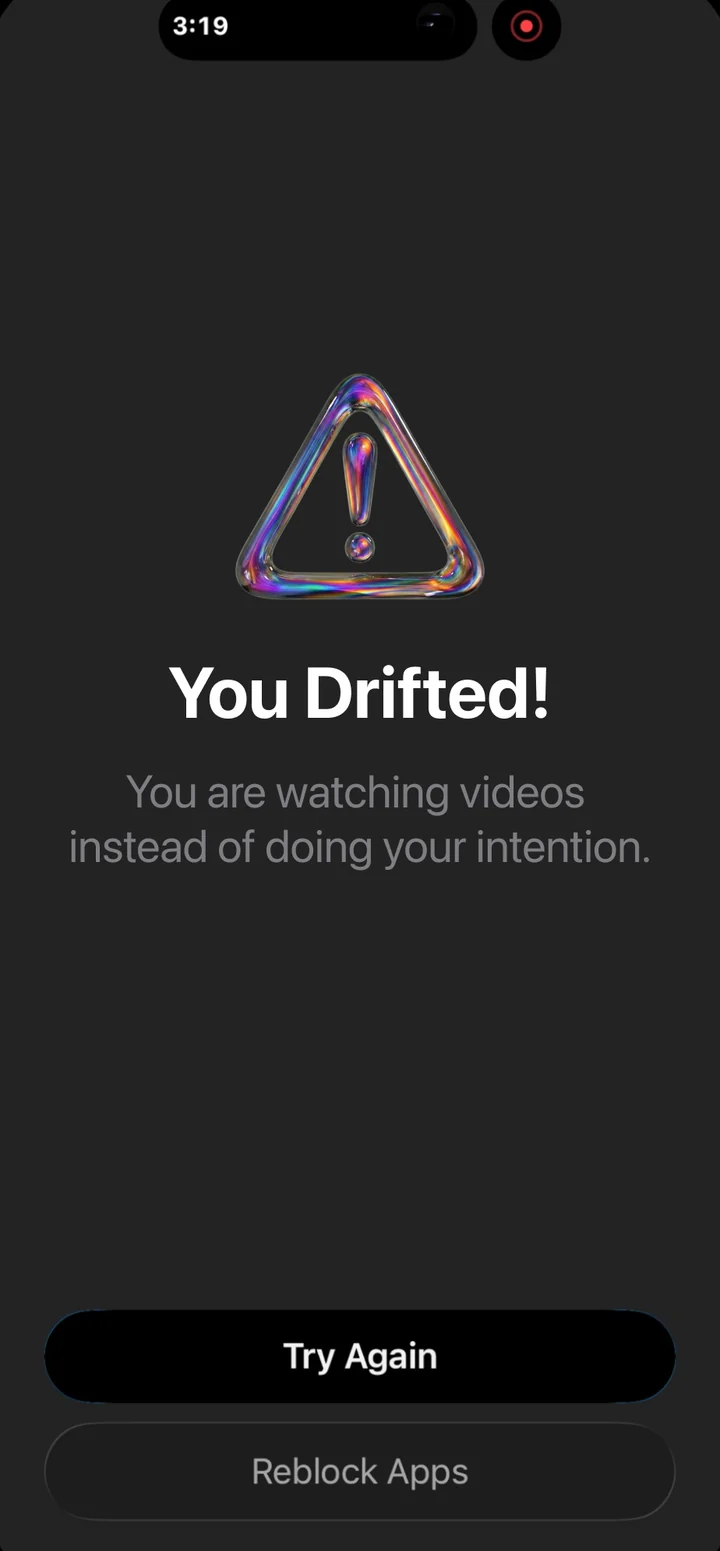
- Drift into Reels and keep scrolling, and Nudge covers the app with a nudge. Go back to your DMs or re-lock the app.
Real phone, real app: "Check my DMs," then a detour into videos, then the nudge.
What Nudge can't do here
- It can't delete the Reels tab or hide Reels inside Instagram. Nothing on iPhone can.
- It checks your screen only during a Task Mode session you start. Between sessions, Instagram stays locked behind Nudge's timer and waiting room.
- Your screen is not stored. Not by Nudge. Not by Google. How that works.
The short version
Shrink the pull (notifications, Following feed), add a reminder (Instagram's limit), add a real lock (Screen Time or Nudge), and for the drift itself, use something that knows why you came. You'll still see a Reel now and then. You just won't lose forty minutes to one.