The waiting room: friction that grows with the habit
With Nudge Pro, unlocking a locked app comes with a short wait and a breathing animation. On Medium, your first unlock each day is instant, then each one adds 10 seconds, up to a minute. It resets at midnight. You always get in. You just can't do it on autopilot.
Why a pause works better than a wall
Most doomscrolls start without a decision. Your thumb opens the app in an elevator, after an email, mid-boredom. A wall stops that, but it also stops the useful visits, so you turn it off and it never comes back.
A pause keeps the useful visits and breaks the automatic ones. By the time the wait is over, you've had a few seconds to notice what you're doing. Often the answer is "never mind," and the button is right there.
Pick how strict
| Level | What happens when you open a locked app | Good for |
|---|---|---|
| Easy | Pick how long and go in. No waiting room. | Apps you mostly use well |
| Medium | First unlock of the day is instant. Each one after adds 10 seconds, up to a minute. Resets at midnight. | Social apps you check too often |
| Hard | 10 minutes every time, and sessions capped at 10 minutes | The app you mean business about |
| Custom | Set your own starting wait, how much each unlock adds, and the maximum | Fine-tuners |
Timer Mode and Task Mode each get their own level. Making things easier (like dropping to a lower level) means finishing your current wait first, so you can't weasel out mid-craving. More on choosing a level.
The breathing pause
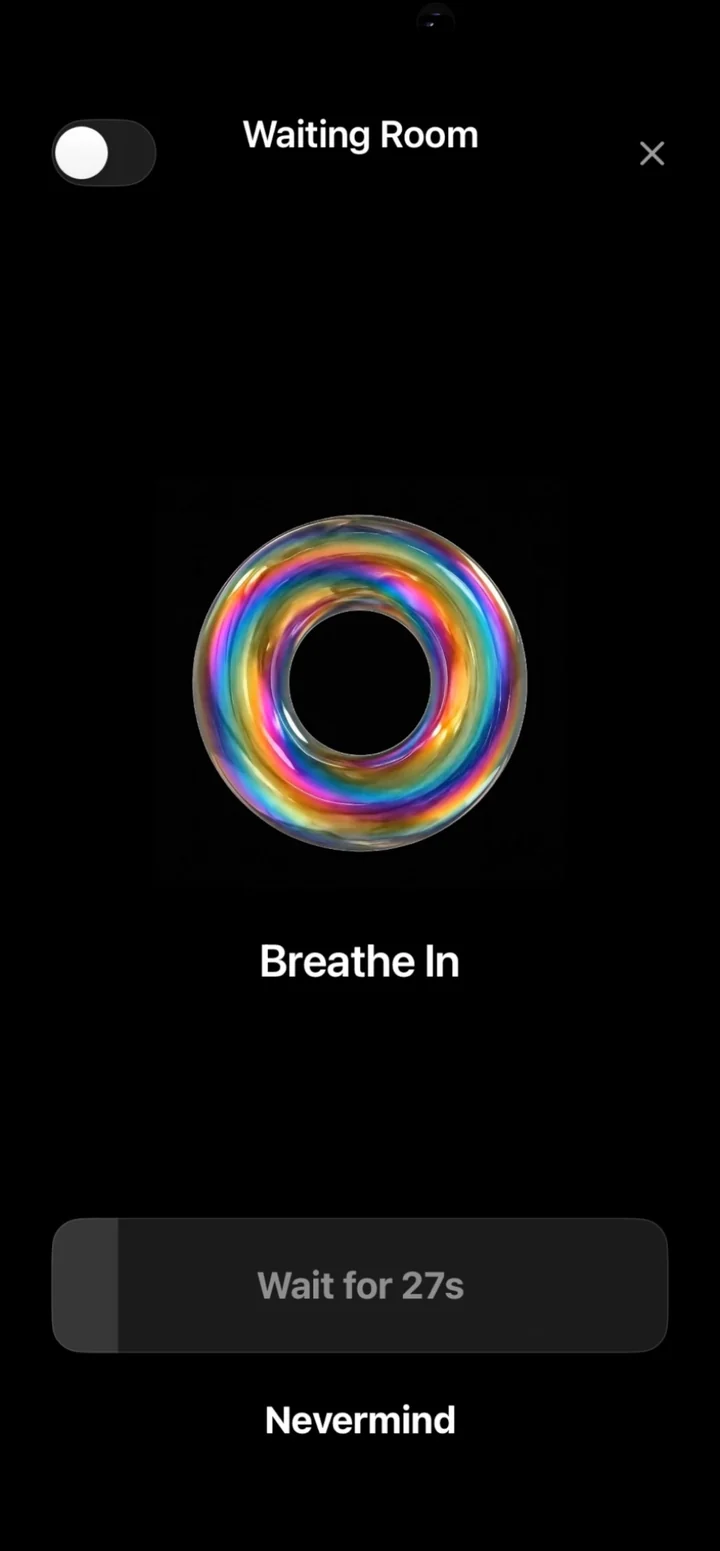
The wait isn't a blank screen. It's a short guided breath: breathe in, breathe out. It comes from The Breath Works, the breathwork practice run by Nudge's founder. Thirty seconds of breathing is a better reset than thirty seconds of staring at a loading bar.
How it fits with the rest of Nudge
- Timers: after the wait, you choose how long, and the app re-locks when time is up.
- Task Mode: for apps you need but drift in, say what you're there to do and Nudge notices when you wander. How Task Mode works.