Task Mode: say what you're there to do, and Nudge notices when you drift
Before you open a locked app, you type what you're there to do, like "check my DMs." Nudge watches the session for you. Stay on task and nothing happens. Drift into Reels or a feed and you get nudged back. Ignore enough nudges and the session ends.
Why it exists
Most app blockers decide one thing: can you open the app or not. But the problem usually isn't opening Instagram. It's opening it to reply to a friend and surfacing forty minutes later. A wall can't tell the DM you came for from the Reel you didn't. Task Mode can.
Real phone, real app: "Check my DMs," a detour into videos, and the nudge.
How a session works
- Open a locked app. Its block screen says "Set task for [the app]." Tap through and tap the notification.
- Say it in plain English. "Reply to Sarah." "Post my video." "Only comedy or fitness content." "No news or politics."
- Pick how long, and start. iOS asks to start screen broadcasting to Nudge. That's how Nudge can see whether you're on task. Nothing is streamed publicly.
- Use the app. Nudge checks the screen every few seconds. Answer your messages and it stays out of the way.
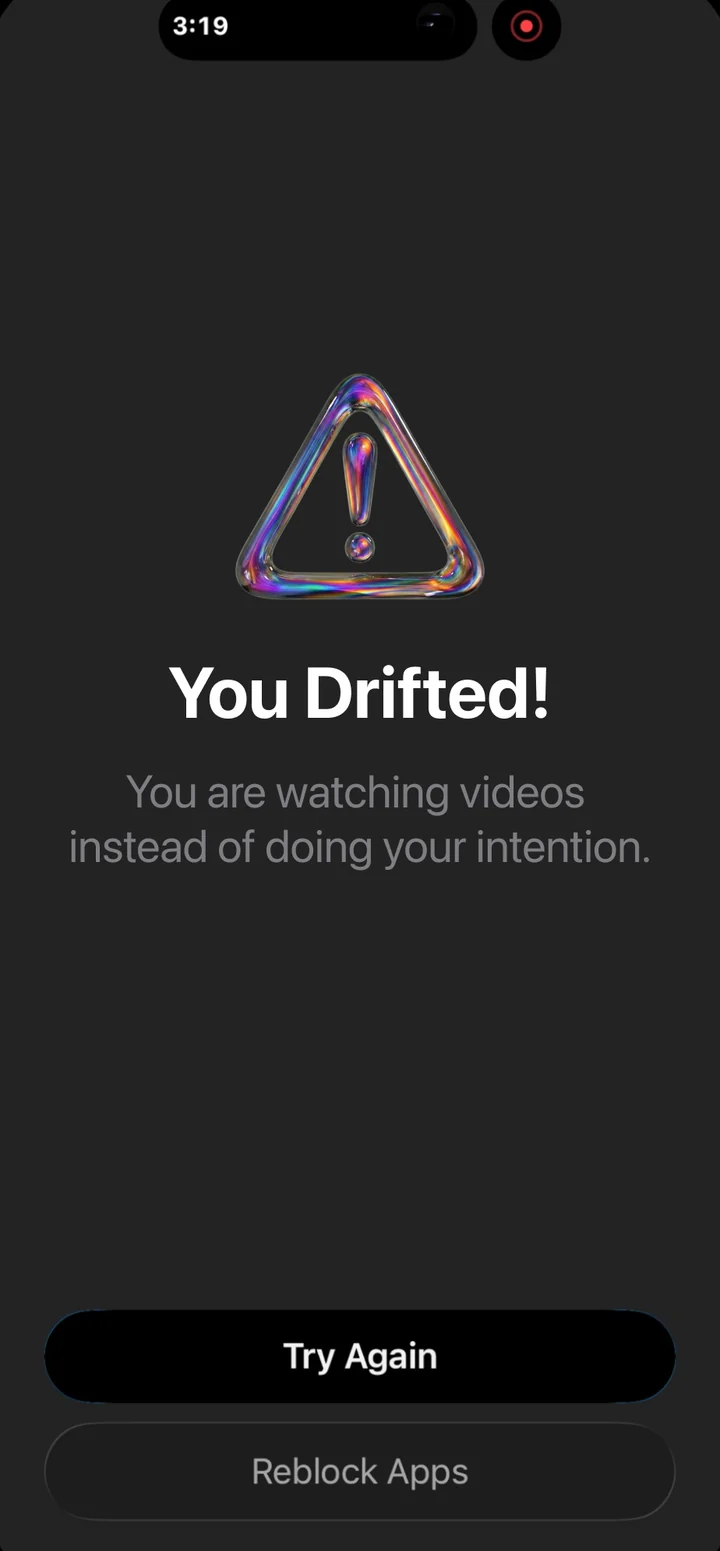
- Drift, and get nudged. If the screen doesn't match your task a few checks in a row, Nudge covers the app with a reminder of your task and why it nudged you. Tap "Try Again" to go back, or "Reblock Apps" to end.
- Ignore it, and the session ends. Three nudges without getting back on task ends the session, and the app locks again. Leave the app when you're done and it ends on its own too.
Make it yours
- Always allow things that are fine no matter what you said, like reading your messages.
- Never allow things that are always a detour for you, like Reels or political news.
- Strictness: choose how many nudges end a session, and how picky the check is.
What it can't do
Honest limits, because you'll find them anyway:
- It can't delete the Reels tab or change how Instagram looks. No iPhone app can. It notices when you drift and nudges you out.
- It works while a session is running. Timer Mode and the waiting room cover the rest of the day.
- It needs iOS screen broadcasting, so you'll see the red indicator during a session. That's iOS telling you the truth.
- It uses an allowance of hours, because each check costs real money to run: 8 hours a month on monthly and yearly plans, 2 a week on weekly, 4 during the free trial.
Privacy
Task Mode is the only part of Nudge that looks at your screen, and only during a session you start. Frames are checked and thrown away. Your screen is not stored. Not by Nudge. Not by Google. Read the plain-English privacy page.